 LUL Drivers
Every train on your line, live.
Line status and live trains for London Underground train operators.

- Brixton
- Stockwell
- Vauxhall
- Pimlico
- Victoria
- Green Park
- Oxford Circus
- Warren Street
- Euston
- King’s Cross St. Pancras
- Highbury & Islington
- Finsbury Park
- Seven Sisters
- Tottenham Hale
- Blackhorse Road
- Walthamstow Central
Free, as it always was
Also free: Find a train, offline data and dark mode.
-
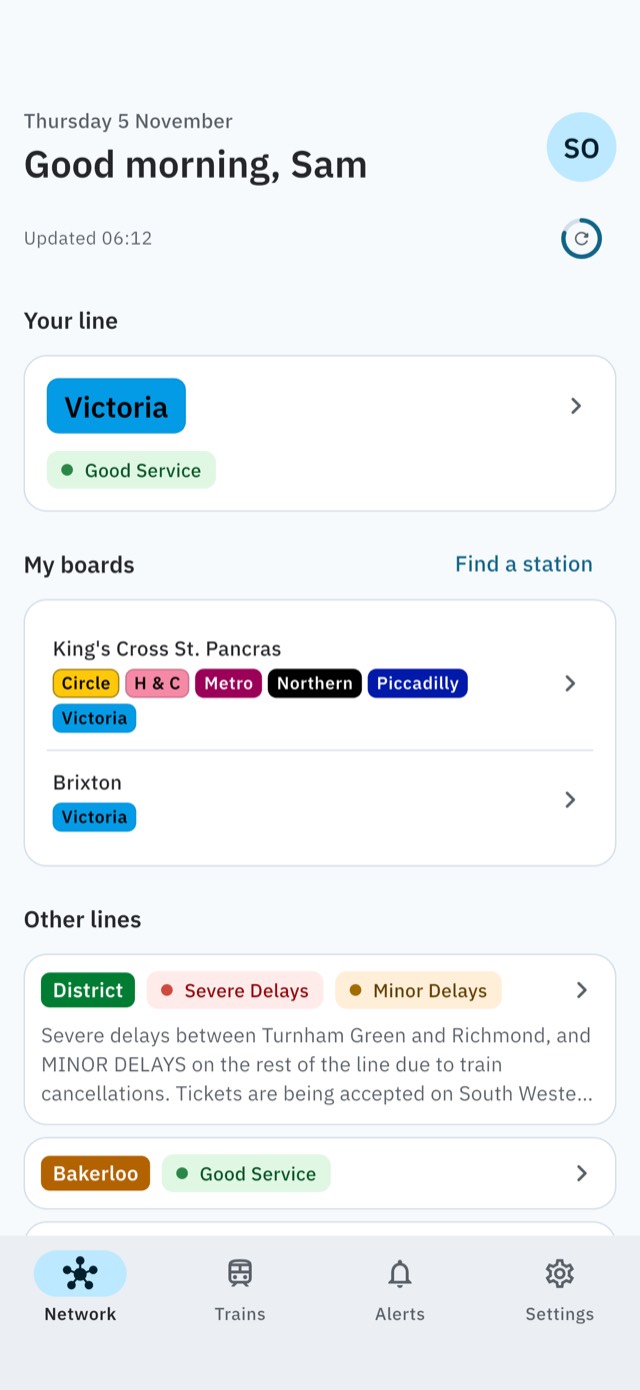
Line status
Every line at a glance, the worst first, with TfL’s reasons.
-
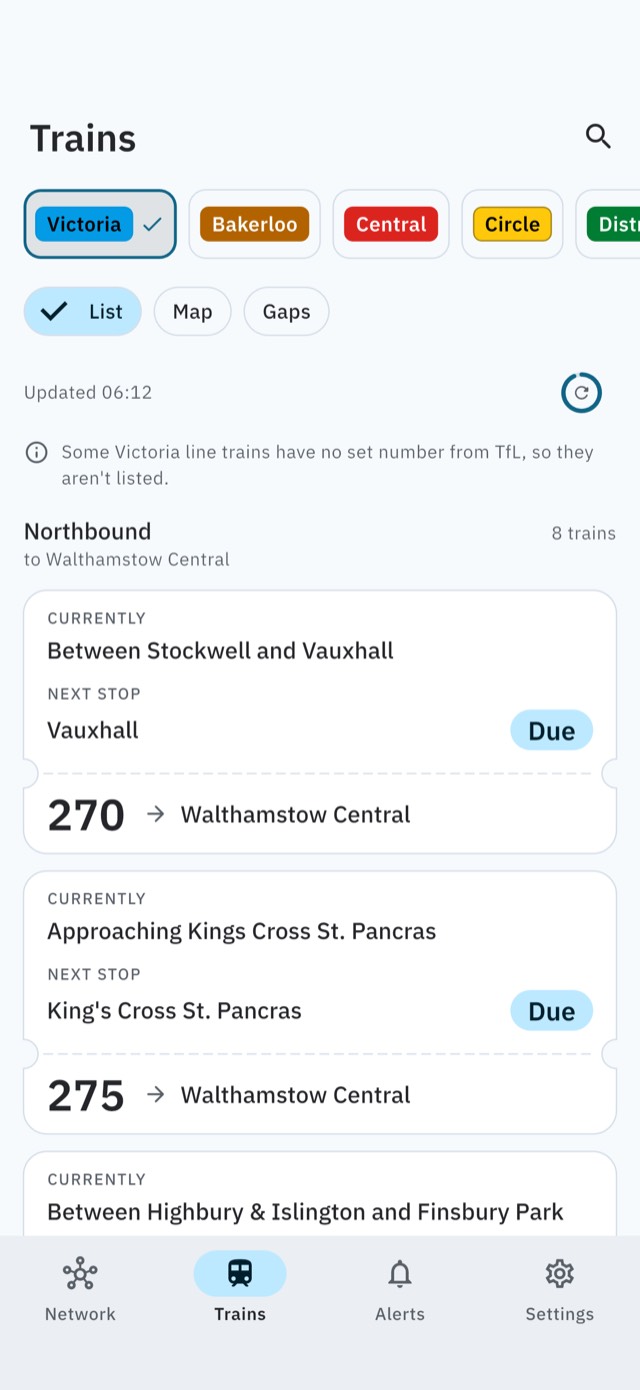
Live trains
Every train on your line, each way, with its set number and its next stop.
-
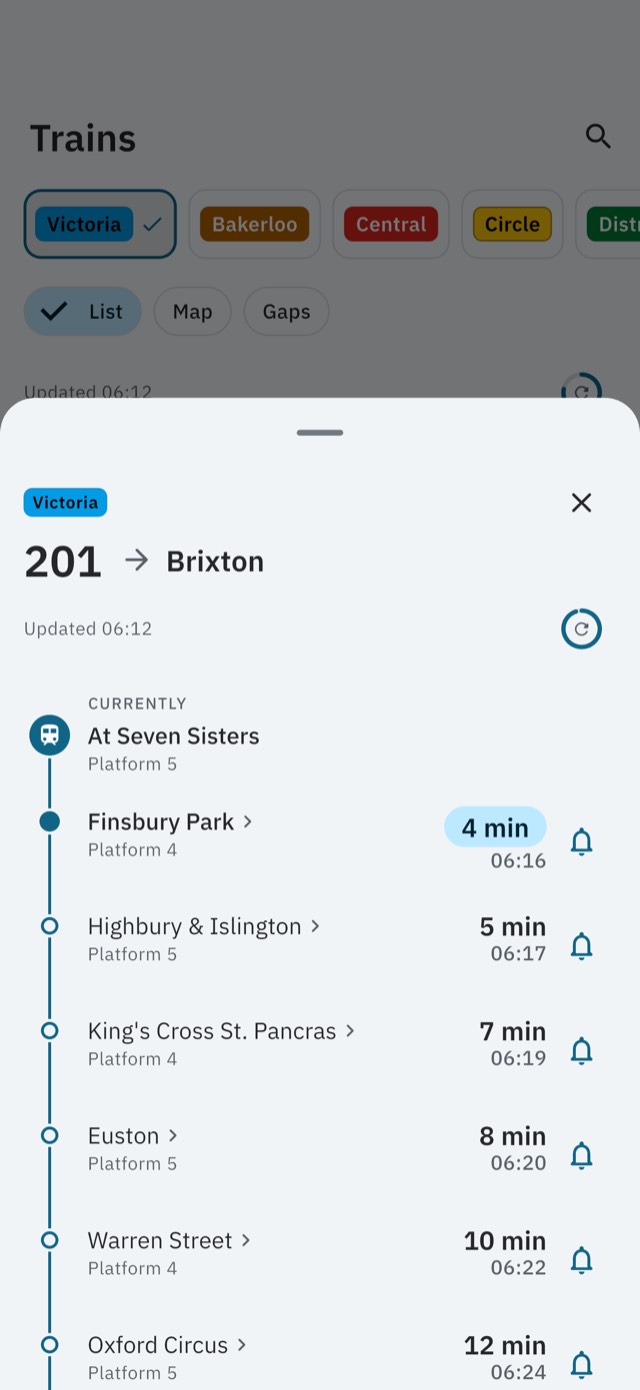
Timelines
Tap a train for its stops ahead, counting down to each.


LUL Drivers Pro
Tools for your working day: train alerts for breaks and relief, Break Mode, station boards, planned works, the live line map and more.
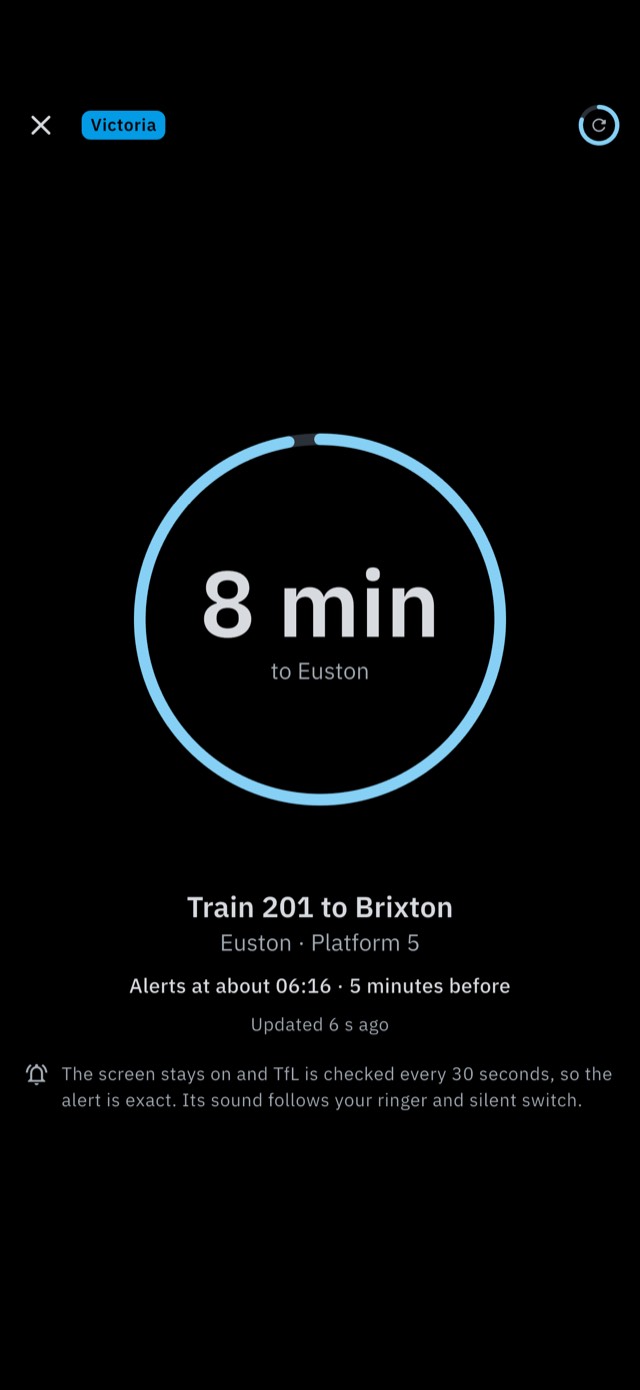
Train Alerts
A notification 1 to 10 minutes before your train reaches your stop, and as it arrives if you like, for breaks and relief.
- Warren Street
- Euston
- King’s Cross St. Pancras
- Highbury & Islington
On Android
Alerts stay exact with the phone locked: TfL is checked every 30 seconds, with a live countdown in the notification.
Some phones stop apps anyway: the Alerts tab shows how to let LUL Drivers run.
On iPhone
Your alert counts down on the Lock Screen, with a Refresh button. Between refreshes it uses the latest times the phone has, so it can be early or late: Refresh, or Break Mode, keeps it exact.

-
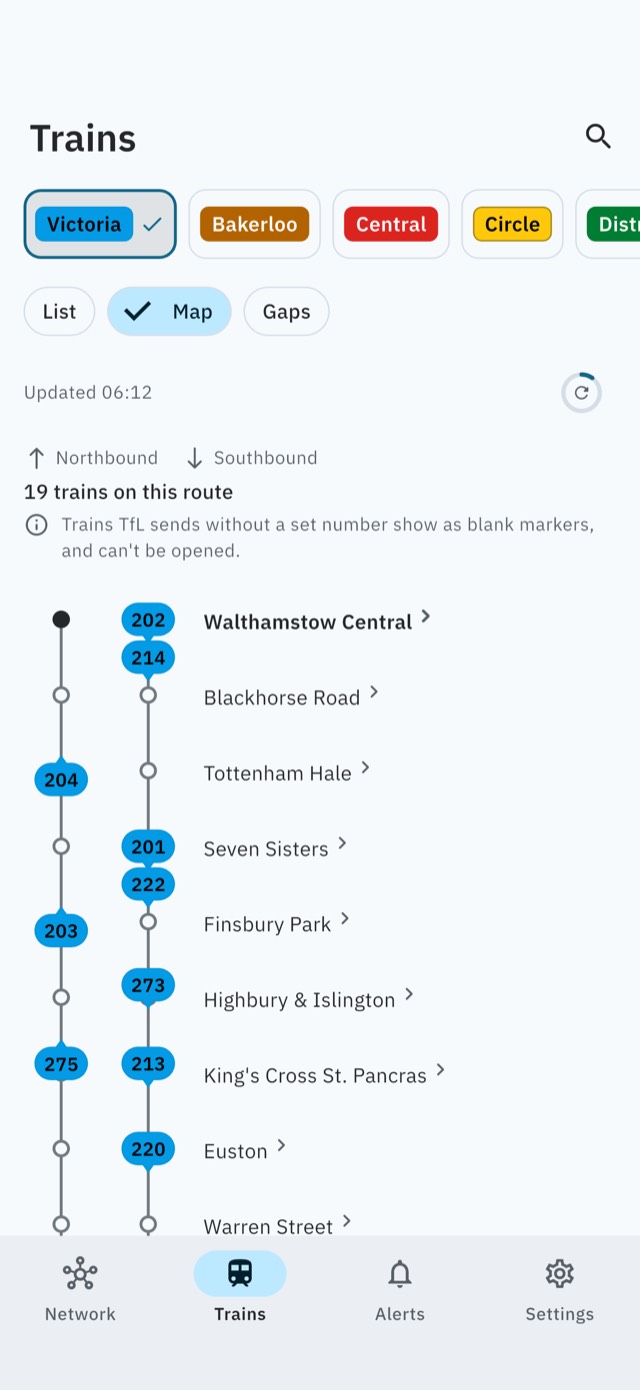
Live line map
Every train on a drawing of the line, moving as TfL’s times update.
-
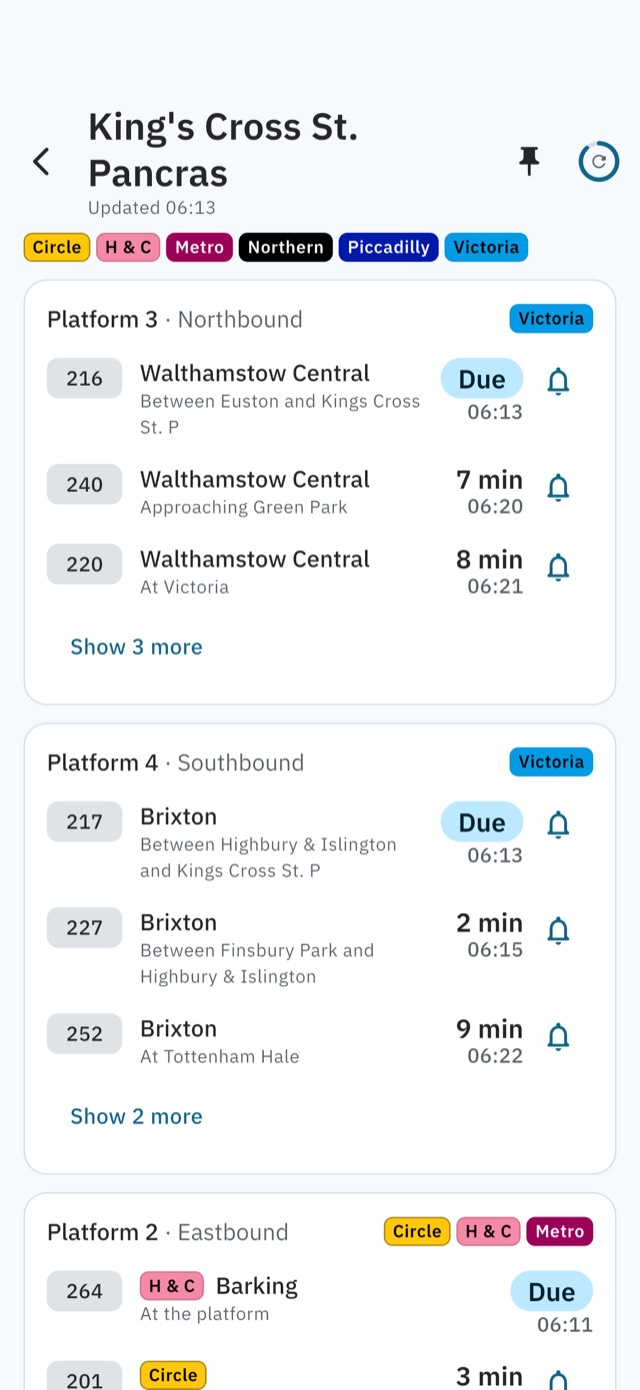
Station boards
Pin stations and see the next trains on every platform.


Also in Pro
- Break Mode
- Alerts on the Lock Screen
- Status alerts
- Planned works
- Service gaps
- Home-screen widgets
- Sort and search trains
- App icons and true black
What it costs
-
Free
Line status, live trains and timelines stay free for good. Pro never locks them.
-
No ads
No ads, no analytics and no account. Nothing about you leaves your phone.
-
Optional Pro
Monthly, or yearly with a 7-day free trial, or once for life. The store’s price shows in the app before you buy.
Had the original app? Pro is free for 30 days from the update, as a thank-you.
Before you install
How often are status alerts checked?
On Android, about every 15 to 30 minutes. On iPhone, when iOS lets the app refresh in the background, which can be hours apart, and whenever you open the app. They only notify within the hours you choose.
What does the app know about me?
Nothing leaves your phone, and there’s no server of ours: the app asks Transport for London for live data and your app store for purchases, and nothing else. The privacy policy has the details.
Is LUL Drivers from TfL?
No. LUL Drivers is an independent app. Not affiliated with or endorsed by Transport for London. Statuses and train times come from Transport for London’s open data, straight to your phone.
Can I use it in the cab?
No. Never use your phone while driving a train. LUL Drivers is for before and after driving, breaks, relief and travel. Always follow your employer’s rules on phones and personal devices.
Which phones does it run on?
iPhones with iOS 17 or later, and Android phones with Android 11 or later, from the UK App Store and Google Play.
I had the original app. What changes?
It updates in place. Your name and home line come across, and everything the original app did stays free.
Get LUL Drivers
Free on iPhone and Android, with LUL Drivers Pro when you want it.